Why I Built a Trading Charts Plugin (And the 5-Step Framework to Build Your Own)
Fake trading charts in fintech marketing drive me crazy. Here is how I used AI to build a mathematically accurate chart generator for Figma - and the framework I used to do it.
November 24, 2025
If you work in fintech marketing, you know the specific circle of hell I’m talking about. You need a trading chart for an ad or an App Store screenshot. You don't have time to set up a brokerage account to get the perfect shot, so you open Figma and start drawing rectangles.
And it always looks... wrong.
I see this garbage everywhere. "Bullish" charts where the math doesn't add up. Open prices that don't align with the previous close. Volatility that defies gravity.
My neurodivergent ass couldn't stand it anymore.
To most people, it’s just a background graphic. To me, it was an error. I craved precision. I wanted charts that respected the logic of the market - random walks, volatility, trends. But were fully customizable for our brand colors.
I didn't want to draw another rectangle manually. So, I decided to build a machine to do it for me.
I am not a developer. I am a Marketing Designer. But using a simple 5-step framework and AI, I built and shipped the Trading Charts Plugin.
Here is exactly how I went from "this annoys me" to "I shipped a product."
Identify the Friction Point
Great internal tools don't come from roadmap meetings; they come from a designer getting pissed off. The friction was obvious:
The Lesson: Don't suppress your annoyance. If a task bores you or bothers you, that is your signal to automate it.
Don't Reinvent the Math (Scout the APIs)
I didn't waste time trying to write a manifesto on candlestick geometry or deriving the math from scratch. I’m a designer, not a quant.
Instead, I went straight to the source. I searched for public APIs like Yahoo Finance, TradingView, and Capital.com. I wanted to see exactly how the "real" charts were built and how they structured their data - Open, High, Low, Close. Why try to invent the rules when I can just look at the code that already runs the global economy?
Prototype in the Browser (Skip the Frameworks)
I didn't waste time spinning up a complex environment or dragging nodes in a low-code tool. I just created a single local HTML file.
I wanted to see if I could turn the raw JSON data from the Capital.com API into a visual chart without any overhead.
The Prompt: "Write a vanilla JavaScript function that fetches OHLC data from this API endpoint and renders it onto an HTML5 Canvas."
The Result: Within seconds, I had a live candlestick chart rendering in my browser. It proved the data was real and the visualization logic worked before I even touched the Figma API.
Translate to Plugin (Vite & Cloudflare)
This is where I usually get stuck thinking I need a "Tech Stack." I thought I needed React, Webpack, and a Docker container for the backend.
I was wrong. Claude showed me that for a Figma plugin, less is more.
The Frontend: I stuck to Vanilla HTML/CSS/JS. React would just add bloat to the plugin bundle size.
The Build: I used Vite. Claude helped me configure vite-plugin-singlefile to bundle my CSS and JS into the one .html file Figma requires.
The Backend: Instead of wrestling with Docker, I used Cloudflare Workers. I needed a way to hide my Capital.com API keys.
I told the AI: "Create a Cloudflare Worker that proxies requests to Capital.com, injects my API key securely, and handles CORS."
It generated the worker.js and the wrangler.toml configuration. I ran one command to deploy. No servers to manage, no containers to crash.
Ship Where You Work ( The Figma Plugin)
A tool on localhost is a prototype. A tool in your design software is a workflow.
I realized I didn't need a standalone web app; I needed this thing right inside Figma where I was actually working. Figma plugins are basically just web pages running in a sandbox (iframe), so the jump from my browser prototype to a native plugin was surprisingly small.
I packaged the code, added a manifest.json, and just like that, it wasn't a "script" anymore—it was a piece of software living in my sidebar. No server maintenance, no complex DevOps. Just code that runs exactly where I need it.
The Result
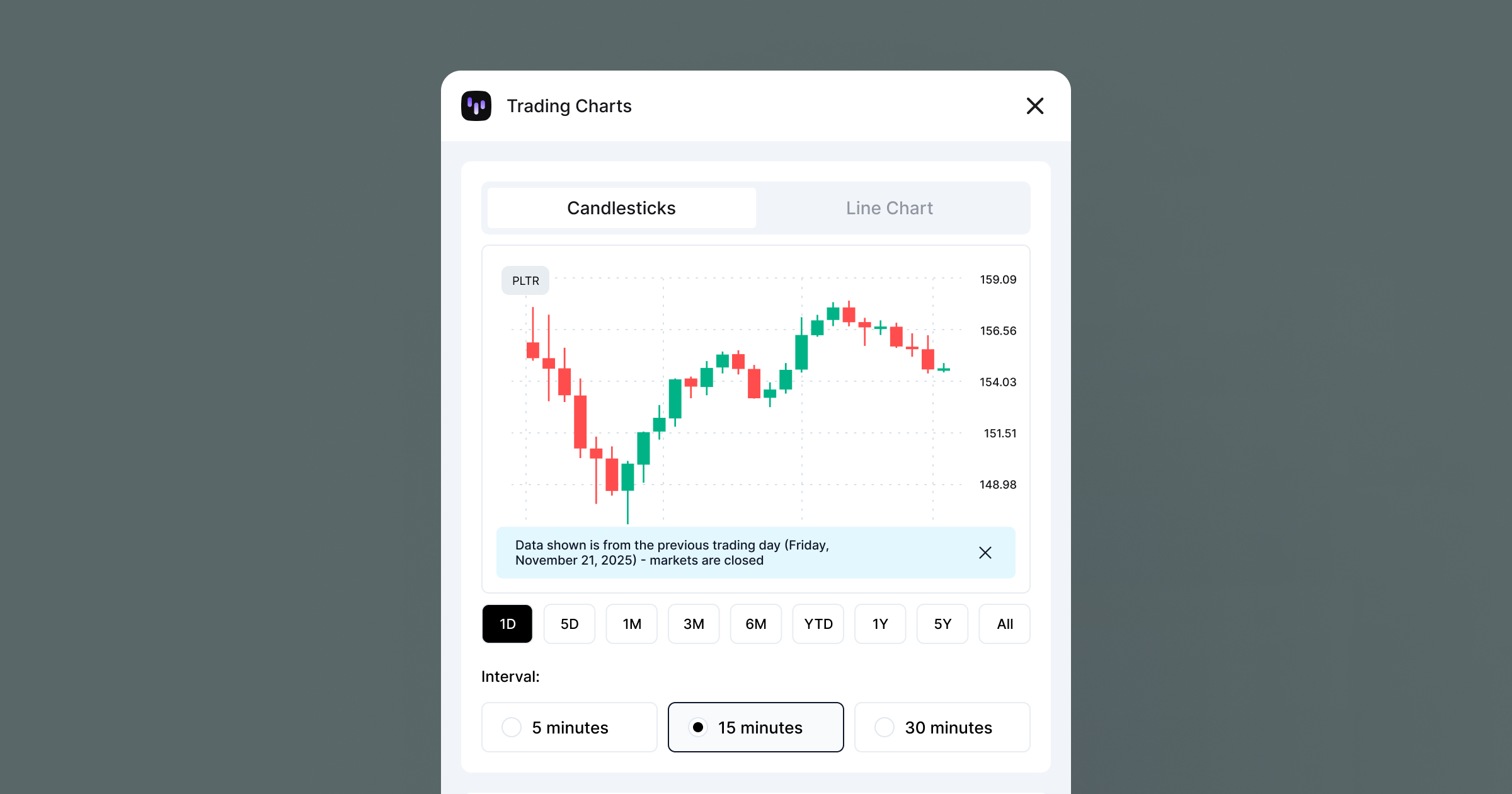
I don't spend 45 minutes drawing fake rectangles anymore. I open my plugin, select "Apple," hit generate, and get a mathematically perfect SVG in 3 seconds.
It worked so well that I realized other designers were probably suffering through the same manual hell. So I polished the UI, added a subscription model for power users, and shipped it to the world.
The gap between "Marketing Designer" and "Product Founder" is smaller than you think. You don't need to wait for an engineer to build the tools you need. You can fix the itch yourself - and maybe even get paid for it.